









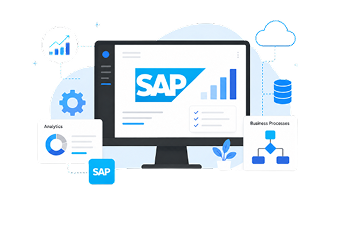




An Enterprise Resource Planning (ERP) System is an integrated platform that brings together critical aspects of a business, such as finance, operations, sales, inventory, procurement, and many others within a single, unified system. Teams do not need to work in silos with standalone applications and disconnected spreadsheets; they can now pull accurate and timely information from a single source.
In short, what does an ERP do? Think of ERP as the “operating system” of the business since it helps manage the flow of information within the organization, optimizes the workflows, and delivers actionable insights. ERP enables the organization to operate as a single integrated unit by seamlessly tying together supplier management, customer order processing, and revenue forecasting, to name a few.
If you are a CEO searching for growth-enabling tools, an operations lead tired of disjointed, siloed systems, or a finance head attempting to consolidate reports from five competing platforms, this guide is for you. We are addressing the real issues, busting myths, and illustrating how modern ERP systems like SAP Business One are not just for the enterprise behemoths, but are designed for small and midsize enterprises seeking to scale profitably and efficiently.
Let’s simplify ERP and explore how it can be the backbone of business transformation.
- How Does an ERP Work?
- Key Benefits of ERP System for SMBs
- Common ERP Myths and Misconceptions
- Types of ERP Systems
- 3 Signs You Need an ERP System
- What is ERP Implementation?
- Industry Use Cases
- SAP Business One and Digital Transformation
- Questions to Ask When Choosing the Right ERP
- Discover an ERP Solution Designed for Small to Medium-Sized Businesses
How Does an ERP Work?
ERP systems work as a central hub for all business data and processes. Instead of separate tools for finance, sales, inventory, and other operations, an ERP connects these functions through a single database.
This means that when information is entered in one department, it’s instantly updated across the entire system, giving every team access to the same accurate, real-time data. By creating this unified environment, ERP software eliminates duplicate data entry, reduces errors, and ensures everyone is working from one reliable source of truth.
ERP systems revolve around modules, specific areas that handle various business activities, all utilizing a single database. Notable ERP modules are:
- Finance & Accounting: Oversees budgeting, invoicing, and compliance.
- Sales & CRM: Manages leads, opportunities, and customer relationships.
- Inventory & Warehouse Management: Oversees stock in, stock out and warehouse activities.
- Procurement: Supplier and purchasing functions are managed.
- Production & MRP: Manufacturing is planned and scheduled.
- Analytics & Reporting: Provides insights on performance in real time.
Key Benefits of ERP System for SMBs
Implementing a new ERP system isn’t just about upgrading software; it’s about transforming how your business operates day to day. By centralizing data and connecting every department, modern ERP systems change the way teams collaborate, make decisions, and respond to challenges. The result is a more agile, efficient, and informed organization.
An ERP system offers some significant benefits:
- Improved Efficiency: Streamlines and automates routine business functions, processes, and tasks between departments.
- Real-Time Visibility: A single, centralized data source offers real-time information for enhanced decision-making.
- Scalability: Allows for business growth with the means to adapt to changing requirements.
- Inventory & Supply Chain Optimization: Properly tracks inventory and optimizes purchasing decisions.
- Regulatory Compliance: Has proper records and reporting for auditing and compliance.
- Customer Service: Includes customer relationship management (CRM) functionality to enhance customer relationships and delivery of service.
- Cost Savings: Saves on operational inefficiencies and minimizes human error.

Image source: Canva
Common ERP Myths and Misconceptions
While ERP software has become essential for today’s businesses, several myths stand in the way of realizing its full benefits. Consider the following fallacies along with the truths that debunk them.
Myth #1: ERP is Only for Large Enterprises
Modern ERP solutions like SAP Business One are designed for small and medium enterprises (SMEs) as they are scalable and affordable.
Myth #2: ERP Implementation is Always Expensive
Enterprise Resource Planning (ERP) Solutions provided in the cloud have lower initial investment and faster ROI.
Myth #3: ERP Systems Are Difficult to Use
Modern ERPs now have modern user-friendly dashboards and have reporting in real time.
Myth #4: ERP Takes Years to Implement
Businesses can now go live in months with phased or cloud deployments.
Myth #5: ERP is Only for Manufacturing
Manufacturing resource planning is a core ERP process, but all industries such as retail and professional services, also derive benefits.
Myth #6: ERP Solves All Problems Automatically
Process alignment, training and optimization are still needed for these tools.
Myth #7: Heavy Customization is Always Needed
Leading ERP solutions come with best practices and industry-specific configurations. These have been refined over years across similar companies and industries, significantly reducing the need for extensive customization.
Myth #8: ERP is Just About Technology
Improving business processes and the overall organizational reporting efficiency is equally valuable.
Myth #9: Cloud Based ERP Systems are Less Secure
The best cloud ERP systems come with advanced security features, including encryption with a key, multi-point user authentication, and continuous security monitoring of system and network resources. Moreover, they follow compliances like SOC 1 and SOC 2, ISAE 3402, and ISO 27001, which provide privacy and integrity of sensitive data for independent audits on a routine basis, and ensure data integrity.
Myth #10: ERP Runs Itself After Implementation
The need for ongoing updates and optimization is critical for continued value to sustain competitive advantages.
Types of ERP Systems
ERP systems can be deployed in different types based on resources and business needs. Understanding the types of ERP software available helps businesses choose the best fit for their needs.
| On premise ERP | Hosted on company servers, offering full control, but comes with higher maintenance costs. |
| Cloud ERP | Usually hosted remotely, offering lower upfront costs, scalability and remote access. |
| Hybrid ERP | Combines both On-premise and cloud ERP for better flexibility. |
3 Signs You Need an ERP System
As your business expands, you might notice inefficiencies and bottlenecks that hinder productivity. This is where the opportunity lies: implementing an ERP system can transform these challenges into a streamlined, efficient operation. Let’s explore the common signs that trigger the need to upgrade existing systems to modern ERP solutions.
1. Fragmented Information Systems
If your business relies on multiple, disconnected software solutions across departments, leading to data silos and inconsistent information, it’s a strong sign that you need ERP software. An ERP integrates all your data into a single platform, ensuring accuracy and accessibility
2. Lack of Real-Time Data
Informed business decisions require real-time data. If your current systems don’t provide timely insights and your decision-making is based on outdated or incomplete information, an ERP system can provide the real-time visibility you need.
3. Growth and Expansion Challenges
If your business is experiencing growth or planning to expand into new markets, managing increased demand and complexity can be challenging. An ERP system can scale with your business, supporting growth and ensuring smooth operations
If you’re uncertain about whether implementing an ERP software system is the right step for your business, don’t worry. Sometimes the reasons may not be as clear-cut, or your situation might be unique.
→ Related Article: When Should Your Business Implement an ERP System?
What is ERP Implementation?
ERP implementation is the process of planning, configuring, and deploying an ERP system so it can effectively support and streamline a company’s operations. Each successful ERP implementation requires going through the following essential phases:
- Planning & Discovery – Identify business needs, project scope, budget, and set deadlines.
- System Design & Configuration – Align a company’s core business processes to ERP modules and ERP modules to business processes.
- Data Migration – Move business data by cleansing, formatting, and transferring it to the new software system.
- Testing – Functional, integration, and user acceptance testing to ensure the ERP functions as intended.
- Training & Change Management – Foster ERP acceptance by prepping employees to encourage adoption through new workflows and interfaces.
- Go-Live & Deployment – Rollout the ERP to the entire organization.
- Post-Implementation Support – ERP monitoring, optimization, and issue troubleshooting tasks.

Image source: Canva
Common Challenges with ERP Implementation
Even the most carefully devised ERP projects face hurdles such as:
- Problems with data migration caused by incomplete or inconsistent legacy data.
- Employee reluctance to adapt to the new system.
- Unexpected customization and resource needs result in cost overruns.
- Underestimation of resources leads to cost overruns and scope creep where requirements deviate from the original plan.
- Inadequate training and support hamper ongoing aid for end-users.
Fostering proactive change through realistic budgeting and seasoned consultants strategically overcoming outlined challenges improves adoption, efficiency, and ROI.
How Long Does ERP Implementation Take?
Streamlining outlined phases using skilled ERP consultants drastically reduces the provided timeframes.
- Timelines differ due to business scale, customization, and process complexity:
- Small businesses: as little as three months.
- Midsize companies: five to eight months on average.
- Large enterprises: up to twelve months for highly intricate systems.
Leveraging experienced ERP consultants can help streamline these phases, minimize risks, and ensure the system is implemented on time and within budget.
Industry Use Cases
Systems such as ERP implement changes for various businesses and industries. Here are three ERP system examples in practice, showing the impact of modern ERP solutions based on real client interactions at aclaros:
- Waste Management – TerraCycle
With over 30 entities managing various databases, logistics, and taxes in different currencies, TerraCycle turned to SAP Business One for a consolidated solution which accentuated seamless integration. An aclaros implementation resulted in the creation of integrated e-commerce stores as well as logistics and tax integration. Global efficiency and scalability were enhanced.
- Retail – Tin Shack
As a franchisee of Tin Shack, the Canadian retailer for Blundstone and Glerups was seeking ERP and exhaustive warehouse systems. Partnering with aclaros and Logiks WMS enabled real-time order picking, enhanced operational visibility, and a workforce optimization of 20% in warehouse operations, all within a mere 10-week implementation.
- Manufacturing – Mul-T-Lock
For over 3.5 months, the global leader in high-security items underwent a transformation of their legacy systems with the use of SAP Business One and its modules Financials, Inventory, and MRP. The results were impressive: 99.9% accurate price/margin, 85% faster report generation, and a 66% faster month-end closure time.
SAP Business One and Digital Transformation
Adopting new technologies is only one aspect of digital transformation; another is reevaluating how your company competes, runs, and provides value in a world where digital technology is king.
At the core of this transformation lies ERP software, which unifies departmental operations, dismantles data silos, and optimizes workflows. Businesses can automate repetitive tasks, obtain real-time insights, and make data-driven decisions more quickly when they have the proper ERP in place. This promotes scalability and innovation in addition to improving operational efficiency.
SAP Business One stands out as one of the best ERP systems for growing businesses. It’s designed to grow with your business functions, offering robust capabilities in financial management, inventory management, CRM, and more—all in a single platform.
Questions to Ask When Choosing the Right ERP
Things to keep in mind while selecting or changing your ERP:
- What are your company’s evolving workflows and business growth goals? Will the ERP support them?
- Do sector-specific requirements have modules that are tailored to your industry?
- Is the interface user-friendly? What type of training materials are offered?
- Are cloud, on-premise, or hybrid models more suitable for your company’s budget and existing infrastructure?
- Are there seamless connection capabilities with current CRM, e-commerce, or BI tools?
- Moving past the initial investment, what is the ERP pricing for implementation, licensing maintenance and upgrades?
- Is there continual innovation and financial stability from the ERP provider?
- Is there easy customization and heavy development to the system that can scale with your business?
When sitting down to revise ERP, the first consideration should be the fact that implementing any changes is more of a strategic business move rather than a simple tech investment. It should ideally allow for quick adaptation to growth, streamline outdated business processes and system agility to seize emerging opportunities.
→ Related article: What to Consider When Upgrading ERP Software
Discover an ERP Solution Designed for Small to Medium-Sized Businesses
Small and medium businesses face issues such as limited liquidity, the need for agility and scalability, as well as rapid growth. Therefore, choosing an ERP system for the size of the business and its unique challenges is of utmost importance.
SAP Business One offers a unified system catering to the needs of the SMB segment with flexibility to scale as the company grows, providing major modules such as finance, sales, inventory, and operations. The functions captured using the system are combined with an intuitive user interface to greatly reduce the burden of complex workflows and increase productivity.
In contrast to the ERP systems implemented at the enterprise level, SAP Business One offers systems integrated for order management, business performance analysis, and inventory control, providing real-time insights for smarter and timelier decisions.
Personalized support is accessible for SAP Business One through a global partner network, including the modular partner aclaros. Therefore, the adaptability and cloud readiness of the software, as well as the sponsorship through the global network, equip the small and medium-sized businesses to remain competitive and flourish in the swiftly changing environment.
Enterprise Resource Planning (ERP) FAQs
What does ERP stand for?
ERP stands for Enterprise Resource Planning, which refers to integrated software systems for managing company operations and core business functions. It enhances coordination, data retrieval, and decision-making through real-time access to business data.
How is ERP different from accounting software?
ERP systems go much further than accounting software that only deals with financial records like accounts payable and receivable and the general ledger. ERP integrates finance, inventory, sales, purchasing, production, and CRM with other departments and streamlines key business processes into one system. This enables financial management through real-time data sharing, real-time coordination, and uninterrupted workflows throughout an entire organization, not only accounting.
What are the best small business ERP systems?
The best ERP system for small businesses depends on your industry, budget, and specific needs. SAP Business One is regarded as an ERP best suited for small and medium businesses. With its modules, ease of integration and scalability for cloud or on-premise deployments, paired with a robust global partner network, SAP Business One offers a strong system for small to medium enterprises.
How much does an ERP system cost?
ERP implementations are not a one-size-fits-all solution. ERP costs really depend on several factors, such as the scope of what you’re looking to achieve, how complex your operations are, integration and extension needs, and the level of training or support your team will require. So, without understanding those details, an implementation cost is really irrelevant, and it could either scare you away unnecessarily or set the wrong expectation.
Let’s start with a quick call to review your priorities and find the right-fit solution for you. Contact us today!
What is ERP integration, and why is it important?
ERP integration refers to connecting an ERP with other business software like customer relationship management, e-commerce, accounting, or supply chain management tools. Integration allows smooth data transfer between different software, solves the problem of redundant data entries and error correction, and creates a consolidated perspective of the business. Integration enhances efficiency by automating workflows, enabling real-time data access, improving responsiveness, and improving the customer experience.